Pour continuer la lecture
Auth is a Dumpster Fire. Can 'Better Auth' Put It Out?
19 juillet 2025
They Said It Would Burn: Tales from the Trenches of PC Enthusiasm
15 juillet 2025
Your Own Personal Jarvis (or maybe just a Smart Teacup): Building a Local, Private LLM
18 juin 2025
Mastering State and Data Synchronization in Modern React Applications
17 juin 2025
Unifying Two Sites Under a Single Domain with CapRover: A Seamless Integration Guide
2 juin 2025
How to Monitor Your Server Disk Usage with Discord? 🚀🌟
Ever thought your server could talk to you? Imagine receiving daily disk space updates directly on Discord. Sounds like magic, right? 🎩✨
Let’s dive in and set this up !
🕵️ Step 1: Create a Discord Webhook
Creating a Discord webhook is like assigning a secret agent to your server. It's the first step in enabling seamless communication between your server and your Discord channel.
How to Set Up Your Secret Agent
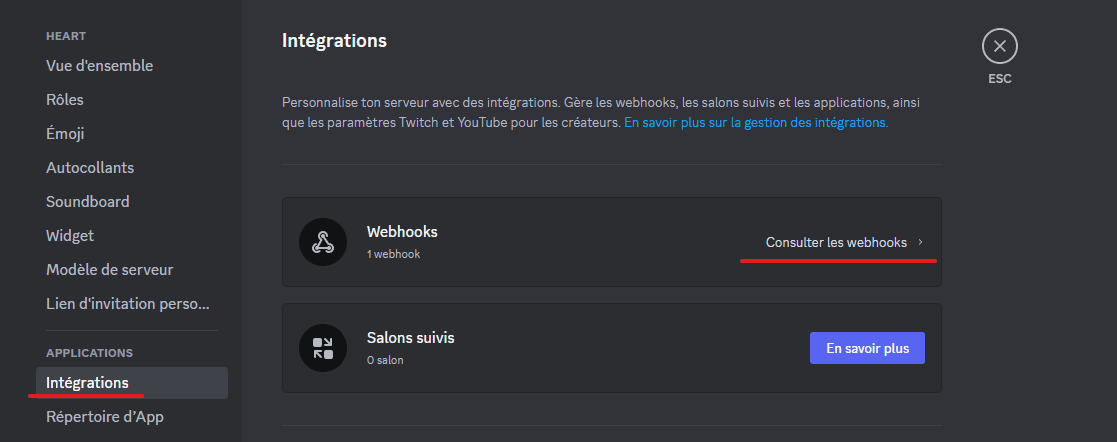
- Navigate to Discord: Choose the channel for updates and select Edit channel > Integrations.
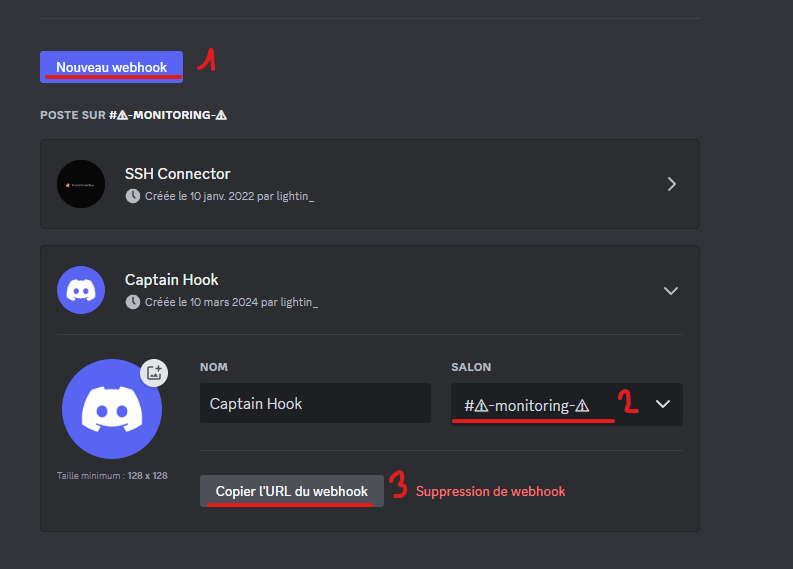
- Webhook Setup: If you're a webhook newbie, click Create Webhook. Otherwise, hit View Webhooks and then New Webhook.
- Identity Assignment: Give your webhook a name and an avatar to make it recognizable.
- Secure the Code: Copy the WEBHOOK URL; this is your secret code for communication.
- Mission Save: Don’t forget to hit Save.
🚀 Connect to Your Server
It’s time to go undercover. SSH into your server because this operation requires some command-line finesse.
🌟 Step 2: The Magic Script
Create a script named check-disk.sh. This script is the heart of our operation, allowing your server to send those crucial disk space updates.
Craft Your Spell
#!/bin/bash

# Insert your webhook URL here - it's the direct line to Discord.
DISCORD_WEBHOOK_URL="https://discord.com/api/webhooks/XXXXXXXX/XXXXXXXXXX"

# Capturing the free space on your server. Everyone loves a bit of freedom, right?
ESPACE=$(df -h | grep '/dev/sda2' | awk '{print $4}')

# Sending the update through the magical portal of the internet.
curl -H "Content-Type: application/json" -X POST -d "{\"content\": \"🗃️ Free disk space: $ESPACE\"}" "$DISCORD_WEBHOOK_URL"
This spell enables your server to whisper sweet nothings about its available disk space directly into your Discord.
⭐ Step 3: Bring the Magic to Life
- Embed the Secret Code: Replace
DISCORD_WEBHOOK_URLwith your unique webhook URL. - Awaken the Script: Grant it the power to execute:
sudo chmod +x ./check-disk.sh
🎥 Step 4: The Daily Ritual
We want this magical communication to be a daily delight. Let's automate it:
crontab -e
Whisper this incantation at the document's end:
0 12 * * * /bin/bash /home/username/check-disk.sh
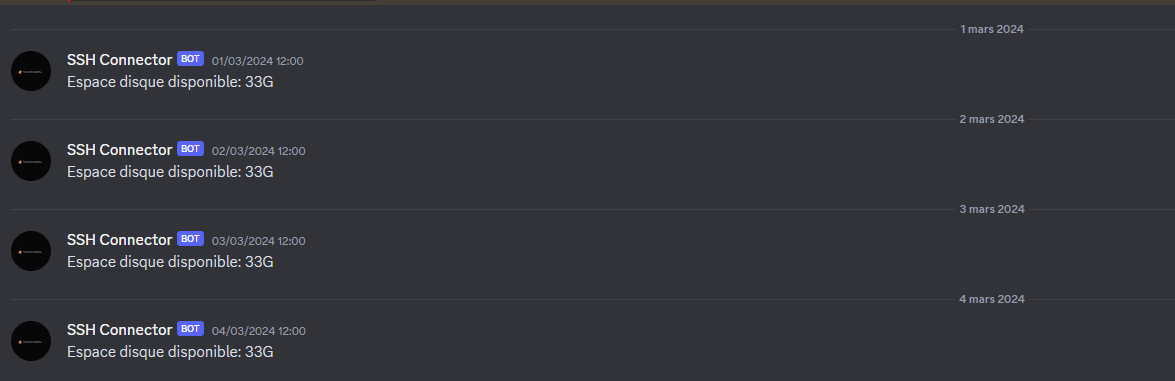
Now, like clockwork, your server will serenade you with updates every noon. 🍽️🕛
❤️ Step 5: Reignite Cron’s Heart
Sometimes, even ancient spirits need a reminder:
systemctl restart cron
🌍 Step 7: Bask in the Glory
Congratulations! You’ve successfully bridged worlds. Your server is now sending daily disk space updates directly to your Discord. Welcome to a future where technology connects more deeply with our lives. 🚀🔮